Accessibility, MIDI gear, hacking and AI walk into a bar
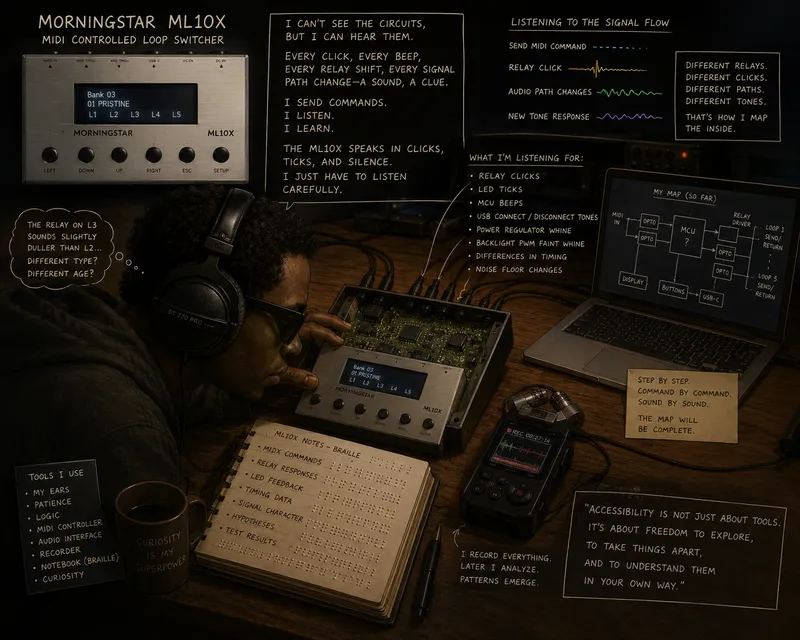
A way too common happening in a blind person’s life is… buying some very awesome gadget impulsively, hoping for the best that it’s somehow accessible, and… being just almost accessible. One gets sad, cries, posts on LinkedIn how bad capitalism is and… after a while… just tries to make it work somehow.
This is one of those stories: it mixes accessibility, music, hacking and — we are in 2026 — AI, what else!
Come with me on the road to put a very capable guitar gear device through its paces, making a somehow accessible editor.
About the image: the romantic version. The real story — grepping minified JavaScript — is below.
What the ML10X actually is (for non-guitar readers)
The Morningstar ML10X is a programmable audio loop switcher. You wire your guitar pedals into it once, and then each preset decides which pedals are in the signal chain, in what order, mono or stereo. 512 presets in total. Configuring all of that means drawing a signal flow.
Yep, with arrows and drag and drop! Fancy, isn’t it?
And why does one need such a thing? Because… reasons.
The accessibility problem
The official editor lives at editor-mkii.morningstar.io/ml10x and it’s an Angular single-page app where the core task — wiring connections between loops — is done by dragging boxes onto other boxes. With a screen reader that is, for practical purposes, untouchable. The buttons are reachable, the labels are readable, but the act of building the chain isn’t expressible through the keyboard.
I want to be fair here, because it matters. Morningstar’s hardware is genuinely good. Their other products — the MC6 and MC8 controllers and their respective editors — are far more keyboard- and screen-reader-friendly, and I know plenty of blind musicians who use their gear day to day. The ML10X editor is an outlier inside an otherwise accessible product line, not a sign that the company doesn’t care. It is, I suspect, what happens when a UI paradigm (the chain visualisation) is picked for one product without thinking through what it does to screen-reader users.
That doesn’t make it usable, though. So.
The first idea: a text-first editor
Credit where it’s due: the plan wasn’t mine. I described the problem to Claude, pointed it to a lot of ideas I already had on how to do this, and the AI came back with the shape of the solution — and then wrote most of the boring scripts to get there.
A preset is, underneath the visualisation, just structured data. If we can read and write that data as text, the drag-and-drop problem goes away. A YAML file per preset, a small CLI to sync those files to and from the device, and the keyboard does the rest. Side benefits fall out for free: presets in git, diffs, batch edits, reproducible backups.
The problem: there are no public docs
A quick sidebar: configuration like this travels over MIDI as SysEx (“System Exclusive”) messages — vendor-defined byte blobs that aren’t standardised by MIDI itself, just framed by it. Each manufacturer decides what their SysEx looks like; if they don’t publish the spec, you’re on your own. (MIDI.org’s overview is a decent starting point.)
Morningstar publishes the SysEx specification for the MC6 and MC8 controllers, and the framing rules are largely shared with the ML10X, but the ML10X-specific bits — segment IDs, preset write opcodes, the bypass encoding, the Simple vs Advanced wire formats — aren’t documented anywhere I could find. The editor’s source is a 7.8 MB minified Angular bundle with no sourcemap published. The device itself is a black box that only tells you anything when you send it something and it sends bytes back.
So: no spec, an obfuscated client, and a device that answers in a language nobody published a dictionary for. This is where AI with browser access started to look interesting.
The setup: AI with hands inside the browser
I set up Claude with the official chrome-devtools MCP server (one line: claude mcp add -s user chrome-devtools -- npx chrome-devtools-mcp@latest). From there Claude could drive Chrome directly — navigate the editor, run arbitrary JS in the page, read the accessibility tree, pull network responses to disk. The one capability that unlocked everything else was an initScript hook that runs JS before the page’s own code; every trick below leans on it.
The important bit: the AI didn’t just suggest what to do. It drove the editor, captured the wire traffic, grepped the bundle, and proposed hypotheses based on what it found. I picked which ones to test against real hardware, and pointed it back on track when it started hallucinating or looping.
Trick #1 — Intercepting Web MIDI live
First job: tee on the MIDI wire. Using the initScript hook (JS that runs before any page code) we patched navigator.requestMIDIAccess to wrap every input and output port the editor would receive. Crucially we didn’t fake MIDI — Chrome still asked for SysEx permission, the editor still talked to the real ML10X, and we just sat in the middle and watched. Each captured message got a manual phase tag (baseline, after_bypass_toggle, restore) so the timeline sliced cleanly afterwards.
Trick #2 — Reading the minified bundle as if it were source
The Angular bundle is 7.8 MB on a single line, no sourcemap. The thing nobody tells you: minified isn’t obfuscated. Identifiers get mangled, but string literals, TypeScript-emitted enums and constructor field initialisers all survive — enough to grep your way to every message type, every preset field and every byte the editor sends. One line of source even revealed the entire chain-hop format (segment ID, [from, to, bypass] payload, bypass encoding) in one grep. The hardware probes we did later only confirmed what was already in the bundle.
Trick #3 — Hooking blob downloads
The editor’s Device Backup tab exports a 160 KB JSON of every preset and controller setting — a Rosetta Stone naming every field. The obvious <a>.click() hook didn’t catch it because file-saver works around that. Patching URL.createObjectURL instead caught every Blob download the editor ever triggers, regardless of library. After that the SysEx bytes started naming themselves.
Trick #4 — Using the editor’s UI as an oracle
When we had bytes but no idea what they meant, the editor was already displaying the answer. Segment 32 = 09; the Controller Settings page reads “MIDI Channel: 9”. Done. Read the UI, match it to the bytes.
For the per-loop “Enable Spillover” toggles (ten of them, each a mat-slide-toggle), we walked the DOM by label, read aria-checked from each, and matched the resulting ten-bit pattern against the 14-bit include_in_trails bitmap that came across the wire. They lined up; the meaning of the bitmap fell out for free.
This trick only works because the editor is a faithful mirror of device state — it doesn’t make values up; every number you see on screen was decoded from real bytes the device sent. There is a nice irony in this: the UI we couldn’t use with a screen reader ended up being the labelled data source for the UI we could.
Trick #5 — Probing the device, one variable at a time
For everything source and UI couldn’t tell us, we went to the device. Standard probe: save baseline, change one thing in the editor, save again, restore, save again. Diff the captures segment by segment — whichever bytes moved are the bytes that mean the thing you changed. We tried briefly to fake the device too, with a synthetic requestMIDIAccess shim, and it failed because we didn’t yet know the inbound length-encoding bytes. The lesson is the obvious one: mock the things you control, use real systems for the things they define.
Trick #6 — Mode toggle as a free format converter
Rather than derive the Advanced-mode wire format from first principles, we let the editor do it. Save a known-good Simple preset, click the Simple↔Advanced toggle, save again, toggle back, save once more to restore. Same logical content, two wire formats, side by side. The diff told us everything. The editor was a free format converter we could script.
Ground-truth tests: byte-exact round-trip
Every interesting capture became a pytest fixture for a round-trip: encode(decode(captured_bytes)) == captured_bytes. Either you match the editor’s bytes exactly or you don’t. That alone caught off-by-ones, wrong segment ordering, bad sentinels and segments we were incorrectly including or omitting — all in 50 ms in CI, no hardware in the loop. The real device still gets the final word: send for real, watch for the ack, fail loudly if it doesn’t arrive.
What the final thing looks like
The whole thing ships as a small Rust CLI called ml10x — repo at ml10x-access-rs. The verbs are:
ml10x dump --out ./presets --allpulls every preset and the controller settings off the device into YAML files (about two minutes for all 512 slots).ml10x sync ./presets/bank-1/preset-002.yamlpushes one preset back to the device and waits for the ack. Point it at a directory and it walks the tree, syncingcontroller.yamlfirst and then every preset in one connection.ml10x diff ./presets/bank-1/preset-002.yamlshows the field-by-field differences between the local YAML and the device’s current copy.ml10x lint ./presetsvalidates YAML files without touching the device — typos in connector names, output endpoints used as sources, self-loops, illegal Advanced-mode shapes.ml10x select BANK PRESETactivates a preset on the device, like pressing a footswitch.ml10x list ./presets(or--device) lists the presets in a directory or on the hardware.
A preset YAML looks like this. A plain linear chain — guitar in, three pedals in series, out to the amp:
preset:
  bank: 1
  number: 0
  name: Linear
  spillover:
    output_tip: nothing
    output_ring: nothing
  body:
    mode: simple
    chain:
      - from_connector: input_tip
        to_connector: a_tip
        bypass: false
      - from_connector: a_tip
        to_connector: b_tip
        bypass: false
      - from_connector: b_tip
        to_connector: c_tip
        bypass: false
      - from_connector: c_tip
        to_connector: output_tip
        bypass: false
A wet/dry split — dry to FOH, wet through a time-based effect to the stage amp. Advanced mode uses a connections: graph and drops bypass (the firmware ignores per-loop bypass in Advanced presets):
preset:
  bank: 1
  number: 3
  name: Wet Dry
  spillover:
    output_tip: nothing
    output_ring: nothing
  body:
    mode: advanced
    connections:
      # dry
      - from_connector: input_tip
        to_connector: output_tip
      # send
      - from_connector: input_tip
        to_connector: e_ring
      # wet return
      - from_connector: e_ring
        to_connector: output_ring
The files carry a # yaml-language-server: $schema=... header that points VS Code at the JSON Schema in the repo, so you get autocomplete and validation on connector names and modes with no extra setup. Screen-reader friendly, keyboard-only, diffable in git, scriptable. Done.
The accessibility point, restated
Drag-and-drop is a UX choice, not a law of physics. The same data model that drives the visual chain can be expressed as text, and once you’ve written that text representation you can read it, diff it, copy and paste between presets, keep it under version control, and edit it with any tool that handles a file. None of that requires sight. Some of it is arguably easier than dragging boxes.
Aftermath: We could rule our own editor, couldn’t we?
Once you’ve done this for one device, the next thought is obvious: every MIDI device has a published or sniffable protocol, and every inaccessible manufacturer editor is, in principle, just a UI on top of bytes you can already send. That thought became able-midi — a browser-based, screen-reader-friendly editor for MIDI hardware in general. The roster is already wider than I expected when I started: the BOSS RE-202 Space Echo, the Morningstar ML10X, the Korg minilogue, the Yamaha CK, the BOSS MD-500 and the Roland GR-55. Each one got the same “read the bundle, watch the wire, write a small library” treatment behind it.
And here’s the nice part: it’s the exact same Rust code. Each device lives in its own *-access-rs crate, and each crate compiles to two targets — a native CLI binary, and a WASM package. The able-midi editor is the only thing that pulls them together; it loads each crate’s WASM artifact and drives it from TypeScript. One codec, one set of round-trip tests, two front-ends.
Closing remarks
The pattern generalises. And the bar joke writes itself: accessibility, MIDI gear, hacking and AI walked in, ordered a round, walked out with a working editor — free for all, even if there are like… maybe… 3 people in the world who would find it useful.